
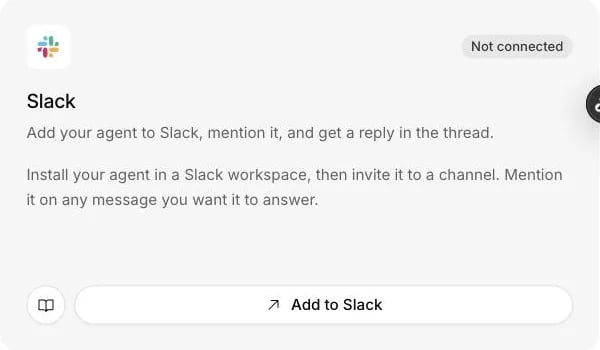
The Slack card on the Channels page installs the agent in a Slack workspace.
What it does
- Answers messages that mention it, in a thread, in channels it has been invited to. Asking a question near the bot does nothing.
- Usually serves your own team rather than your customers, as an internal knowledge bot: an agent that knows your policies is useful in an internal support channel.
- Posts live alerts about website visitors and the handoffs of WhatsApp, Messenger, Instagram and email conversations to a channel you choose.
- Lets a teammate answer a handed-off customer by replying in the alert’s thread, once you allow replies from Slack.
- Posts replies of up to 10,000 characters, in plain text, so nothing it writes can ping a whole channel.
What you need
- Admin rights on the Centillion workspace.
- Permission to install an app in your Slack workspace, or an administrator who will approve it.
- A plan with integrations: Hobby and up. See plans.
Set it up
1
Install the app
Open Channels in your agent’s sidebar and choose Add to Slack. Pick
the workspace and allow the permissions.
2
Invite the bot
In Slack, invite the bot to a channel.
3
Turn on replies
Back in Centillion, turn on Automatic replies.
4
Ask it something
Mention the bot in that channel and ask a question. It answers in a
thread. Mention it again in the thread to follow up.
Use it every day
What the agent hears
The agent answers messages that mention it. This is worth saying to your team: the question has to name the bot. How much of a channel reaches Centillion depends on the permissions the workspace granted. Connected from Channels. Slack sends Centillion the messages that mention the agent, and nothing else from the channel. After you allow replies from Slack. To pick up a teammate’s reply in a handoff thread, Centillion needs Slack’s permission to view messages in the channels the app has been added to. With it, Slack sends Centillion every message posted in those channels, public and private. Besides mentions, Centillion acts on one kind of message: a reply a person writes inside a thread Centillion opened for a handoff and tags the agent in, which goes to the customer without the tag. In those threads the tag sends a reply and is not a question for the agent. Every other message is discarded when it arrives, without being stored or shown to the agent, and so is a message in a handoff thread without the tag. A file on a reply is downloaded only to send it to the customer with the reply, which takes one more permission. A workspace connected from the Slack action is in the same position, because that connection asks for these permissions too. Either way, Centillion receives nothing from channels the app has not been invited to, and it never fetches a channel’s earlier history. Edits to an earlier message are ignored. Messages from other bots are ignored too, unless you turn off Ignore bots in the Playground’s Slack Extra Settings tab. The agent never answers its own messages, so turning it off cannot start a reply loop with itself.Live alerts and handoffs in a channel
The same connection can post live alerts about visitors on your website to a channel you choose, with a Join button. When the agent hands a WhatsApp, Messenger, Instagram or email conversation to your team, the handoff is posted to that channel too, with an Open ticket button. Posting needs no extra permission, only an invitation to that channel. Alerts and handoffs are formatted, but everything the visitor or customer typed is posted as plain text, so they cannot mention anyone either. A person takes over from the helpdesk inbox, or, with the extra permissions, by replying in the handoff’s thread. Answering a handoff from Slack covers who can reply and what is sent.Conversation notifications
Use a Slack action to notify your team when a conversation needs their attention, such as a late order, a bug report, or an enterprise sales enquiry. The message contains a summary and an Open conversation link. The agent continues helping the customer after sending it.- Open Tools > Add tool > New tool > Integration, choose Slack, then Start customizing.
- Select a connected Slack workspace, or choose Connect Slack.
- Choose a destination channel and invite the Centillion app to it. If the channel list is unavailable, paste the channel ID from Slack’s channel details. Use a channel ID for private channels too.
- Name the action and describe When to use it. Turn on Only use in procedures to offer it only while an active procedure references it.
- Use Send test notification to check delivery, then choose the conversation channels where the action can run and select Save & enable. Save keeps it as a draft.
Permissions
Add to Slack on the Channels page asks for the first two. A workspace
connected that way gets the rest from Allow replies from Slack, on the
Live alerts card under Settings → Notifications. A workspace that
allowed replies before Centillion sent files has every permission but
files:read, and gets it from Allow files from Slack on the same card.
Until then, a reply with a file on it is not sent, and the thread says so.
Slack shows its own consent page, and the connection comes back with replies
paused: turn Automatic replies on again under Channels if the agent
should keep answering mentions.
Removing it
Uninstalling the app in Slack marks the connection Disconnected in Centillion, with a note that the agent was removed from Slack. You can also pause a single conversation from Recent activity, or turn off replies for the whole workspace.Limits and good to know
- Plain text replies. Answers are posted without Slack formatting and without turning names into mentions. This is deliberate: nothing an agent writes, or a customer gets it to write, can ping a whole channel. Replies can run to 10,000 characters, so long answers arrive whole.
- One agent per workspace. A Slack workspace connects to one agent. To answer an agent’s WhatsApp, Messenger, Instagram or email handoffs from Slack, connect the workspace to that same agent.
- No Enterprise Grid. Install into an individual Slack workspace. Enterprise Grid, installed across an organisation, is not supported yet.
- No token rotation. Slack apps with token rotation turned on are refused rather than connected with access that will expire without warning. If you hit this, ask your Slack administrator to leave rotation off.
Questions
Why did the bot ignore my question?
It answers only messages that mention it, in channels it has been invited to. Mention the bot by name, and mention it again inside the thread to follow up.Does Centillion read every message in our channels?
Connected from Channels, Slack sends only the messages that mention the agent. Once you allow replies from Slack, Slack sends every message in the channels the app was added to, and Centillion discards all of them except mentions and tagged replies in handoff threads, without storing them.Can my team answer customers from Slack?
Yes, after you choose Allow replies from Slack on the Live alerts card. A teammate replies in the handoff’s thread and tags the agent, and the reply goes to the customer without the tag.Can I connect one Slack workspace to two agents?
No. A Slack workspace connects to one agent. Connect it to the agent whose handoffs your team should answer from Slack.Will the agent answer other bots?
Not by default. Turn off Ignore bots in the Playground’s Slack Extra Settings tab if you want it to. It never answers its own messages.We use Enterprise Grid. Can we install it?
Not yet. Install the app into an individual Slack workspace.Try it
Add the agent to Slack, invite it to a channel, and mention it with a question about your business. The answer arrives in the thread.Start free
Start on the Free plan, or take a seven-day trial of a paid plan. Your agent is live on your site in an afternoon.
Book a demo
Fifteen minutes with the team, on your own use case.
Related
What Centillion is
The product in one page: agents, knowledge, channels and the helpdesk.
Helpdesk
Live alerts, handoffs, and answering customers from a Slack thread.
Knowledge base
Give the agent the policies and documents your team asks about.