
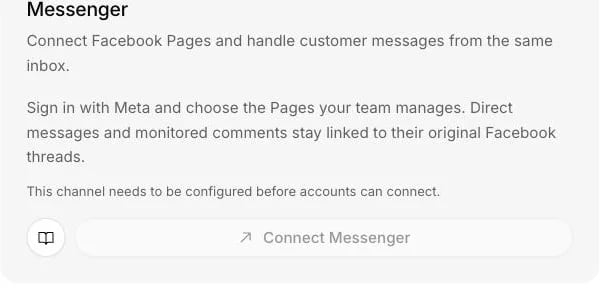
The Messenger card on the Channels page connects Facebook Pages through Meta.
What it does
- Answers direct messages to each Page you connect, in replies of up to 2,000 characters.
- Replies only inside Meta’s 24-hour window, which opens when the customer writes. It does not use message tags to reopen a closed window.
- Turns new comments on your posts into Helpdesk tickets, if you switch comment monitoring on. Comments never get an automatic reply.
- Hands a message that is only an attachment to a person instead of answering it.
- Stops answering a conversation when someone on your team replies as the Page from Facebook’s own tools.
What you need
- Admin rights on the Centillion workspace.
- Hobby or above for messaging; Standard or above for Helpdesk. See plans.
- A Facebook Page where you have permission to manage messages and engagement.
Set it up
1
Start from the Channels page
Open Channels in your agent’s sidebar and choose Connect Messenger.
Continue with Meta and review the Page permissions it asks for.
2
Choose your Pages
Choose the Pages this agent should handle. When you reconnect later, keep
the existing selections if you want those Pages to stay active.
3
Check each Page
Every Page you authorise becomes its own connection, and each one starts
paused, so you can turn them on one at a time.
4
Turn on replies and test
Turn on Automatic replies for a Page. Message it from another Facebook
account, then check Recent activity.
Use it every day
The 24-hour window
Meta only allows a free-form reply within 24 hours of the customer’s last message. The customer has to write first, and after a day of silence the thread closes for automatic replies. Centillion does not use message tags to reopen a closed window.Comments on your posts
Comment monitoring is off by default, and it is separate from the switch for direct messages. Turn it on in the connection’s settings and new comments on your Page’s posts become Helpdesk tickets, with a link back to the post. Public comments never get an automatic reply. A person writes them, from the ticket. This is on purpose: a wrong answer in a direct message is a private problem, and the same answer under a post is not. Turning monitoring off drops new comment events before they are stored.When a person takes over
When the agent cannot help, a person takes over from the helpdesk inbox. Your team can send images, audio, video and files back from there. They can also answer from a Slack thread, as long as the Slack workspace is connected to the same agent as the Page. The 24-hour window applies there as well: once it has closed, the thread says the reply was not sent. A file added to a reply in the thread goes with it, except in a reply to a comment on your posts, which takes text only.When your team replies on Facebook
A reply sent as the Page from Facebook’s own tools is imported, and the agent stops answering that conversation.Pausing
Messages keep arriving and are still recorded while automatic replies are off, so your team can answer everything by hand from Helpdesk.Limits and good to know
- Reply length. Replies are capped at 2,000 characters.
- Attachments. A message that is only an attachment is saved for a person to look at and is not answered.
- No message tags. Once the 24-hour window closes, the agent does not reach the customer again on Messenger until they write.
- Comments stay human. Comment replies are always written by your team.
- Pages are chosen at Meta. The Page list comes from Meta’s sign-in, and only Pages with the messaging permission connect.
Questions
Why did the agent not answer a message from two days ago?
The 24-hour window had closed. Meta refuses free-form replies after a day of silence, and Centillion does not use message tags to get around that. The agent can answer again once the customer writes.Can the agent reply to comments under my posts?
No. With comment monitoring on, new comments become Helpdesk tickets with a link back to the post, and a person answers them. Nothing public is answered automatically.Can I connect more than one Page?
Yes. Choose every Page this agent should handle during sign-in. Each Page becomes its own connection and starts paused, so you turn them on one at a time.What happens when a customer sends a photo?
If the message is only an attachment, it is saved for a person and the agent does not answer it. Your team can reply from Helpdesk, with files of their own if needed.Why is my Page missing from the list?
Meta’s Page picker decides which Pages appear, and only Pages where you hold the messaging permission can be connected. If none qualify, the connection stops and says so.What if someone on my team replies from Facebook?
The reply is imported into Centillion and the agent stops answering that conversation, so your team carries it on from there.Try it
Connect a Page, turn on automatic replies, and message it from another Facebook account. The reply shows up in Messenger and the conversation in the dashboard.Start free
Start on the Free plan, or take a seven-day trial of a paid plan. Your agent is live on your site in an afternoon.
Book a demo
Fifteen minutes with the team, on your own use case.
Related
What Centillion is
The product in one page: agents, knowledge, channels and the helpdesk.
Helpdesk
Where your team answers Messenger conversations and comment tickets.
Answer Instagram direct messages and turn comments into tickets.