
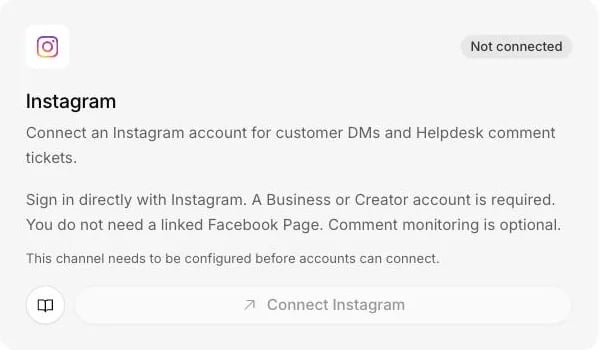
The Instagram card on the Channels page signs in directly with Instagram.
What it does
- Answers direct messages in plain text, within Instagram’s 24-hour window after the customer’s last message.
- Keeps each reply to at most 1,000 bytes, which is not the same as 1,000 characters.
- Turns new public comments into Helpdesk tickets, if you switch comment monitoring on. Comments never get an automatic reply.
- Reads text only. A message that is only a photo, a voice message or another attachment goes to a person instead of being answered.
- Refreshes Instagram’s access in the background, and flags the connection when it needs you.
What you need
- Admin rights on the Centillion workspace.
- Hobby or above for messaging; Standard or above for Helpdesk. See plans.
- An Instagram Business or Creator account with message access turned on. A linked Facebook Page is not required.
Set it up
1
Sign in with Instagram
Open Channels in your agent’s sidebar and choose Connect Instagram.
Sign in to the account your customers message.
2
Approve all three permissions
Approve access to your profile, your messages and your comments. All three
are needed. Leaving one out stops the connection, with a message saying so.
3
Check the account
Check the username shown in Channels. Replies start paused.
4
Turn on replies and test
Turn on Automatic replies, send the account a direct message from
another Instagram account, and watch Recent activity.
Use it every day
The 24-hour window
The customer has to message you first, and the agent can only reply within 24 hours of their last message. That is Instagram’s rule. Inside the window the agent answers normally.Comments on your posts
Comment monitoring is off by default, and it is independent of direct messages. Turn it on in the connection’s settings and new public comments become Helpdesk tickets, kept with the post they belong to. Public comments never receive an automatic reply. Your team answers them from the ticket. Events that arrive while monitoring is off are discarded.When a person takes over
When a conversation needs a human, a person takes over from the helpdesk inbox. They can also answer from a Slack thread, as long as the Slack workspace is connected to the same agent as the Instagram account. The 24-hour window applies there as well, and so does text only: a reply with a file added in the thread is not sent, and the thread says why.If the connection needs attention
Instagram access expires, and a permission change on the account can revoke it. Centillion refreshes access in the background. If the connection shows Needs attention, reconnect and grant the same permissions again.Limits and good to know
- Text only. Instagram direct replies are plain text. The agent does not read images, voice messages or other attachments that come in, and it cannot send files out. If your team needs to send something, send a link.
- Attachments without words. A direct message that carries only an attachment is marked for a person and not answered. One with words in it is answered from the words.
- Reply size. Replies are capped at 1,000 bytes. Accented letters and emoji each take several bytes, so a reply with emoji in it runs out sooner.
- Comments. Comment replies are always written by your team, from the ticket.
- Account type. Only Business and Creator accounts connect. A personal account is refused.
Questions
Do I need a Facebook Page to connect Instagram?
No. Centillion signs in with Instagram directly. You need a Business or Creator account with message access turned on.Can the agent read photos or voice messages?
No. It reads the text of a direct message. A message that is only a photo, a voice message or another attachment is marked for a person, and a message with words in it is answered from the words.Why was my reply cut short?
Instagram replies are capped at 1,000 bytes. Accented letters and emoji take several bytes each, so a reply with them reaches the cap sooner than plain English text would.Will the agent answer comments under my posts?
No. With comment monitoring on, new public comments become Helpdesk tickets kept with their post, and your team answers them. Comments that arrive while monitoring is off are discarded.Why does the connection say Needs attention?
Instagram access expires or was revoked by a permission change on the account. Reconnect from Channels and grant the same three permissions again.Can my team send a file to a customer on Instagram?
Not as an attachment. Instagram direct replies here are text only, so send a link. A reply with a file added in a Slack thread is not sent, and the thread says why.Try it
Connect your Business or Creator account, turn on automatic replies, and send it a direct message from another account. The reply arrives in Instagram and the conversation shows up in the dashboard.Start free
Start on the Free plan, or take a seven-day trial of a paid plan. Your agent is live on your site in an afternoon.
Book a demo
Fifteen minutes with the team, on your own use case.
Related
What Centillion is
The product in one page: agents, knowledge, channels and the helpdesk.
Helpdesk
Where your team answers Instagram conversations and comment tickets.
Messenger
Answer Messenger conversations on your Facebook Pages.